


If you sell or buy 3D assets, pbr 3d models dominate the listings that actually move — and that is not fashion. CGTrader’s 2026 market report found that PBR models list at higher prices yet sell at nearly the same realised price as non-PBR equivalents, which means the PBR advantage is conversion, not a price premium: pbr 3d models simply sell more often.
Buyers have learned that a properly textured PBR asset drops into a scene and looks right under any lighting, and they vote with their wallets. This guide teaches you what PBR actually is, the four maps that do the work, how to check a model before you pay, and how to spot the fake PBR that still litters marketplaces.
Key takeaways
- PBR separates a surface’s properties from the lighting, so one asset looks correct in daylight, interiors and real-time engines alike.
- Four maps do the work: base color, roughness, normal and metallic — supported optionally by ambient occlusion and height maps.
- The CGTrader 2026 finding: PBR wins on conversion. Buyers pay for saved time and reduced risk, not for a label.
- Check the full map set, renders under different lighting, clean UVs and sensible polygon counts before you buy.
- Fake PBR has consistent tells: baked-in highlights in the base color, a desaturated colour copy posing as roughness, and muddy grey metallic maps.
What does “physically based” actually mean?
Physically based rendering means the shading simulates how light really interacts with surfaces: how much reflects, how much is absorbed, how roughness scatters reflections, and how metals behave differently from insulators like wood, plastic and stone. The physically based rendering approach is documented in detail for anyone who wants the underlying theory.



The practical payoff is consistency. A PBR asset looks correct in bright daylight, in a moody interior render, and inside a real-time game engine, without the artist faking highlights into the texture. Older workflows baked lighting and shine directly into the colour map, which looked fine in exactly one environment and wrong in every other. PBR separates the surface’s properties from the lighting, so the same model works everywhere — and that portability is precisely what buyers are paying for.
The maps that make PBR 3D models work
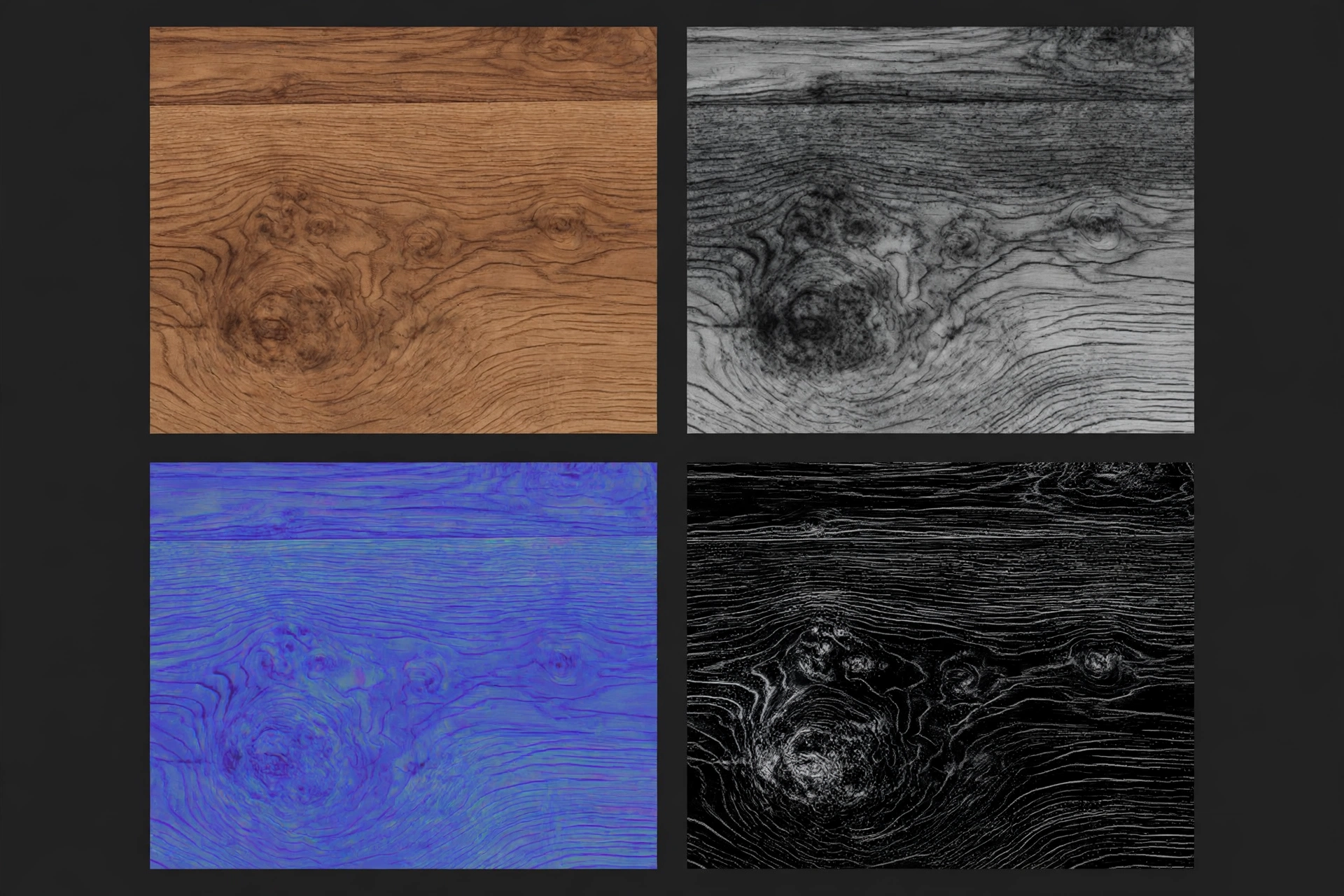
Four core maps carry a PBR material. Learn what each one controls and you can judge an asset’s quality from its texture previews alone.
Base color (albedo)
This is the surface’s true colour with no lighting, shadow, or shine in it — think of the object photographed under perfectly flat, neutral light. A clean base color map is the foundation of good PBR. If you can see baked-in shadows in the crevices or a glossy highlight streaked across it, the texture was not made for PBR, whatever the listing claims.
Roughness
The roughness map controls how sharp or blurred reflections are, pixel by pixel. Polished areas reflect crisply; worn, dusty, or matte areas scatter light. This map carries an enormous amount of realism: fingerprints on a metal handle, the worn sheen on a chair’s armrest, dust settling on a shelf. Convincing roughness variation — not a single flat value — is one of the clearest signs of a quality asset.
Normal
The normal map fakes fine surface detail — wood grain, fabric weave, scratches, panel gaps — by telling the renderer how light should bounce off tiny bumps that are not really modelled. It adds richness without adding polygons, which keeps models light enough for real-time use. A good normal map is derived from real sculpted or scanned detail; a bad one is a filtered copy of the colour map and looks like embossed plastic.
Metallic
The metallic map is mostly black and white: non-metals (wood, plastic, fabric, stone) are black, bare metals are white. It matters because metals tint their reflections with their base colour while non-metals do not. Assets that get this wrong — a wooden table with metallic values, say — look subtly but unmistakably fake under scene lighting, and experienced buyers zoom in on exactly this.
The supporting maps: ambient occlusion and height
Two supporting maps often travel with the core four. An ambient occlusion map adds soft contact shadowing in crevices where geometry alone cannot, grounding the model in its scene. A height or displacement map can push real silhouette detail back into a surface at render time. Neither is strictly required, and plenty of excellent assets ship without them — but their presence, done properly, is another marker of a seller who understands the workflow rather than one who merely renamed some files.
PBR maps at a glance
Keep this reference beside you when you inspect a listing’s texture previews. Each row gives you the map’s job, the sign of a good one, and the red flag that betrays a fake.
| Map | What it controls | Sign of quality | Red flag |
|---|---|---|---|
| Base color (albedo) | The surface’s true colour | Flat, even colour with no lighting baked in | Visible shadows in crevices or a streaked glossy highlight |
| Roughness | How sharp or blurred reflections are, per pixel | Varied values: wear, fingerprints, dust in the right places | A desaturated copy of the colour map, or one flat value everywhere |
| Normal | Faked fine detail: grain, weave, scratches | Detail derived from sculpting or scanning | A filtered copy of the colour map that looks like embossed plastic |
| Metallic | Which areas are bare metal (white) and which are not (black) | Clean black-and-white separation | Muddy greys everywhere; metallic values on wood or fabric |
| Ambient occlusion (optional) | Soft contact shadowing in crevices | Subtle grounding that matches the geometry | Heavy dark smudges unrelated to the model’s shape |
How to check PBR 3D models before you buy
Run through these steps on any listing that asks a PBR price. They take minutes and they catch almost everything that costs hours later.
- Confirm the listing names or shows the full map set — base color, roughness, normal and metallic — at a resolution that matches the model’s size.
- Inspect the base color preview for baked-in shadows or highlights; reject it as true PBR if you find either.
- Check the metallic map for clean black-and-white separation, and make sure wood, fabric and stone sit at black.
- Look for renders under more than one lighting setup, because PBR’s promise is consistency across environments.
- Examine wireframe and UV previews for stretched or unevenly scaled UVs that would distort even perfect maps.
- Verify real-time readiness: sensible polygon counts, LODs where relevant, and standard formats your pipeline accepts.
That last point matters beyond textures. As covered in our guide to prototyping 3D designs and the tools behind them, clean, well-structured models are what survive contact with a real production pipeline.
How to spot fake PBR
Fake PBR usually starts life as an old specular-workflow asset with its maps renamed. The tells are consistent: highlights and shadows baked into the base color; a “roughness” map that is just a desaturated copy of the colour texture; metallic maps with muddy greys everywhere instead of clean black-and-white separation; and renders that only ever show one flattering lighting setup.
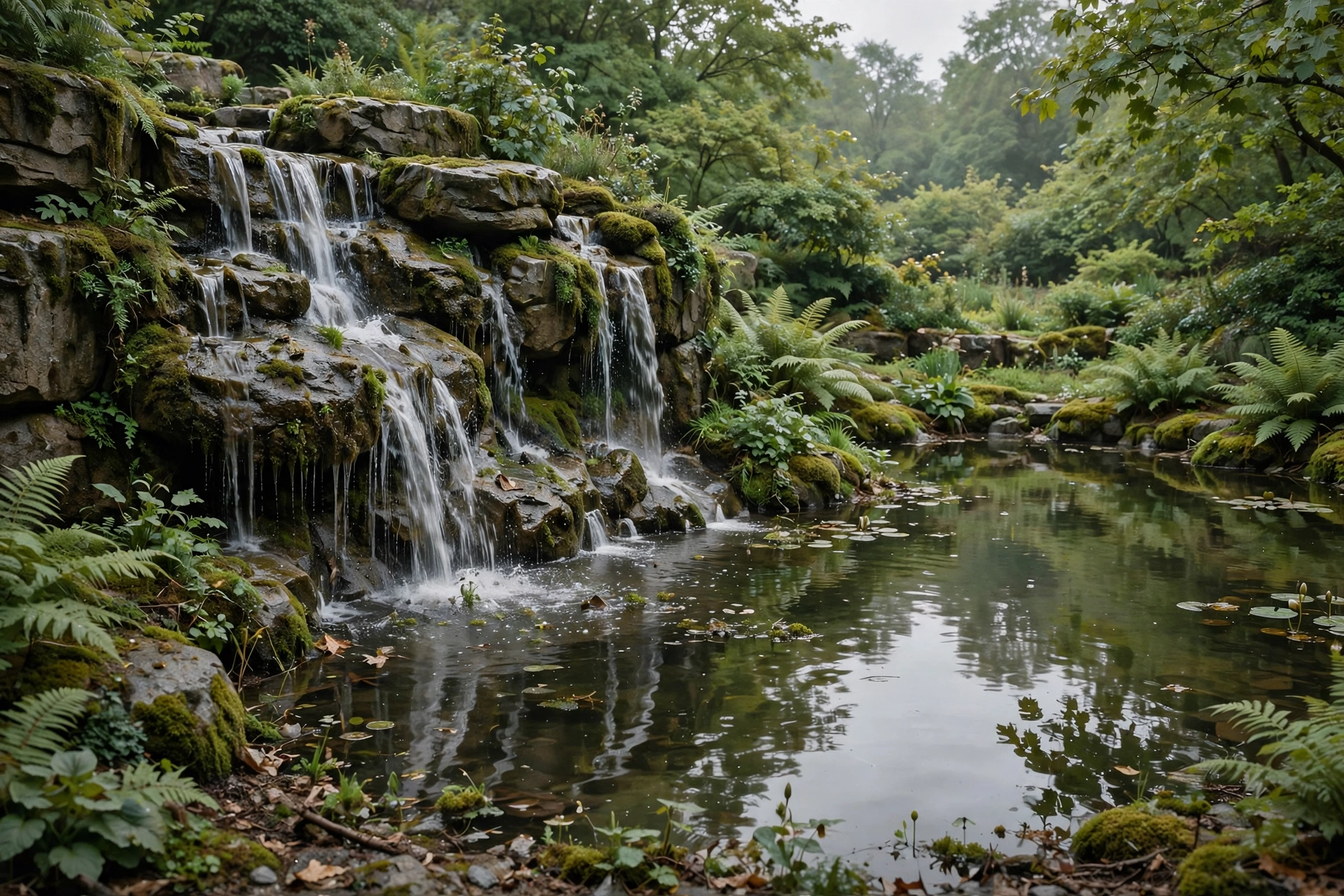
Another giveaway is uniformity — real surfaces are not evenly rough, evenly dirty, or evenly anything. If every part of a model has the same sheen, the textures were generated by a filter, not crafted. You can see the difference in finished scenes: browse the model collections in our Japanese zen garden 3D models roundup and the waterfall and koi pond models guide, and notice how stone, water and foliage each hold their own material character under the same light. None of this makes a fake-PBR model useless, but it should not command a PBR price, and it will not behave like PBR in your scene.
Why PBR models sell more often
The CGTrader finding makes sense once you see PBR from the buyer’s side of the desk. A studio buying a model is buying saved time and reduced risk. A true PBR asset can be dropped into today’s arch-viz render and tomorrow’s real-time configurator with confidence, while a fake one costs an artist hours of repair — or gets returned.
Sellers who invest in proper maps are not decorating their listings; they are removing the buyer’s reasons to hesitate. In a crowded marketplace, that is what conversion is made of.
Common mistakes
- Buying from a single beauty render. One perfect light hides a multitude of sins. PBR’s whole promise is consistency, so demand to see the model under different lighting.
- Trusting the “PBR” label in the title. Renamed specular-workflow maps are everywhere. Check the base color and metallic maps yourself — they cannot hide.
- Ignoring texture resolution. A hero furniture piece deserves larger textures than a background prop. Undersized maps fall apart the moment the camera moves closer.
- Skipping the UV and wireframe previews. Stretched UVs make even perfect maps look wrong, and heavy geometry defeats the point of buying a ready asset.
- Assuming uniform sheen means clean design. Even roughness across a whole model is a filter’s fingerprint. Real surfaces vary, and that variation is the realism you are paying for.
Frequently asked questions
Do PBR 3D models cost more than regular models?
They list at higher prices, but CGTrader’s 2026 market report found they sell at nearly the same realised price as non-PBR equivalents. The PBR advantage is that they sell more often — conversion, not a premium.
Which maps should a proper PBR model include?
Four core maps: base color, roughness, normal and metallic. Ambient occlusion and height maps are welcome extras that ground the model and restore silhouette detail, but plenty of excellent assets ship without them.
Can PBR models be used in real-time engines?
Yes — that portability is the point. Because PBR separates surface properties from lighting, the same asset behaves correctly in an offline render and in a real-time engine, provided polygon counts and texture sizes suit the target.
What is a metallic map, in plain terms?
It is a mostly black-and-white map that tells the renderer which pixels are bare metal (white) and which are not (black). It matters because metals tint their reflections with their base colour while wood, plastic and stone do not.
What is the quickest way to spot fake PBR?
Open the base color map. If you can see shadows sitting in the crevices or a glossy highlight streaked across it, the texture was baked for an older workflow and renamed. A true PBR base color looks flat and evenly lit.
Conclusion
PBR wins sales because it removes risk: separate the surface from the lighting, craft the four maps honestly, and the asset behaves anywhere the buyer drops it. Whether you sell or buy, the discipline is the same — judge the maps, not the label. Your next step: take the six-step check above to the next listing on your shortlist, starting with its base color map, and see how it scores.
When you last bought or downloaded a 3D model, did the textures behave the way the listing promised — and which map gave it away if they didn’t?




 English
 العربية
 Français